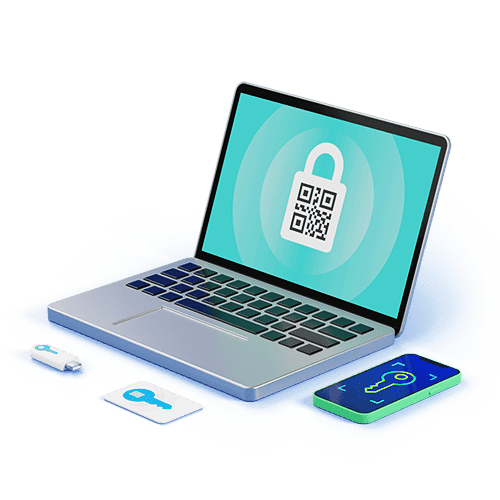
password manager https://www.wwpass.com/passhub-enterprise-password-manager Modern digital life depends on credentials: passwords, API keys, certificates, and tokens that gate access to accounts, services, and sensitive data. A password manager is the tool that helps individuals and organizations create, store, and use strong, unique credentials without memorizing them all. This article explores why password managers matter, how they work, core features to evaluate, security trade-offs, deployment models for enterprises, and practical recommendations for adoption and ongoing maintenance.
Why use a password manager? The basic answer is risk reduction. Reusing simple or memorable passwords across accounts significantly increases the likelihood of credential stuffing, account takeover, and data breaches. Password managers enable the use of long, randomly generated passwords for every login and can autofill credentials to reduce phishing risk. For organizations, centralized secret management eliminates shadow IT practices where employees store passwords in insecure places like spreadsheets or chat messages.
How password managers work. At their core, password managers maintain an encrypted vault that stores records with usernames, passwords, notes, and sometimes additional metadata such as URLs, two-factor authentication (2FA) tokens, and expiration dates. The vault is encrypted with a master key derived from a user’s master password or from hardware-backed authentication. When configured, the manager can generate high-entropy passwords, autofill login fields in browsers and apps, and synchronize vaults across devices while keeping the underlying secrets encrypted both at rest and in transit.
Key features to look for. Not all password managers are equal. When choosing one, evaluate: encryption standards (AES-256, authenticated encryption), zero-knowledge architecture (provider cannot decrypt user vaults), multi-factor authentication support, secure sharing and delegation for teams, audit and reporting for compliance, integration with single sign-on (SSO) and identity providers, provisioning and deprovisioning controls, role-based access, and support for secrets beyond passwords (SSH keys, certificates, API keys). Usability matters too: browser and mobile app quality, autofill reliability, and recovery options impact adoption.
Security considerations and threat model. Understand the manager’s threat model: what attacks is it designed to prevent and what residual risks remain? Common risks include weak master passwords, credential leakage through compromised endpoints, phishing that tricks users into revealing master credentials, synchronization vulnerabilities, and provider-side breaches. High-assurance deployments rely on hardware-backed keys (Trusted Platform Module (TPM), Secure Enclave), strong password policies, mandatory multi-factor authentication, and robust logging. For organizations, consider segregating highly privileged secrets in an enterprise-grade vault with strict access controls and audit trails.
Differences between consumer and enterprise solutions. Consumer password managers target ease of use, cross-platform syncing, and family sharing. Enterprise solutions add governance: centralized administration console, SSO and directory integration (LDAP, Active Directory), granular access controls, session management, automated onboarding/offboarding, compliance reporting, and secret rotation. Enterprises often require features such as vault partitioning by department, emergency access workflows, and dynamic secrets for cloud infrastructure.
Deployment models: cloud, on-premises, and hybrid. Cloud-hosted managers offer convenience and rapid updates but require trust in a vendor’s operational security and availability. On-premises or private-cloud deployments grant organizations greater control over encryption keys and network access at the cost of maintenance overhead. Hybrid approaches can combine a central on-premises key management service with vendor-hosted synchronization. Consider regulatory constraints, data residency, and incident response capabilities when selecting a model.
Integration with broader identity and access management (IAM). Password managers are one piece of an IAM strategy. Integrate them with SSO and identity providers to reduce password sprawl; use SSO for human access where possible and reserve password vaults for service accounts and external credentials. For machine-to-machine secrets, consider secrets managers built for cloud-native environments, but ensure a cohesive policy that governs lifecycle, rotation, and auditing across both human and machine identities.
Best practices for individuals. Choose a reputable password manager with strong encryption and a clear security model. Use a long, unique master password and enable multi-factor authentication, preferably hardware-based (U2F/WebAuthn) where supported. Keep software up to date, enable automatic updates, and understand the manager’s recovery options—securely record recovery codes offline. Use the password generator, enable autofill carefully to avoid phishing, and review saved credentials periodically to remove unused or weak entries.
Best practices for organizations. Establish a password management policy that covers acceptable managers, provisioning and deprovisioning workflows, password complexity and rotation rules, and emergency access procedures. Use role-based access and least-privilege principles. Enforce MFA for vault access and SSO where applicable. Train staff on secure password hygiene and phishing awareness. Regularly audit vaults, review sharing permissions, and rotate shared credentials used by teams. When onboarding third-party vendors, require controlled credential exchange mechanisms to minimize exposure.
Handling breaches and incident response. Even with best practices, breaches may occur. Prepare an incident response plan that includes steps to isolate affected systems, rotate credentials, revoke tokens, and notify impacted users. Use logging and immutable audit trails from your password manager to speed investigation. For high-risk exposures, perform immediate credential rotation and communicate clearly with stakeholders about the scope and mitigation steps taken.
Choosing the right product. Evaluate vendors based on security architecture, transparency (external audits, bug bounty programs), compliance certifications (SOC 2, ISO 27001), ecosystem integrations, and support for enterprise workflows. Trial solutions in a controlled pilot, solicit feedback from users about usability, and measure administrative overhead. Cost matters, but total cost of ownership should include operational effort, training, and risk reduction benefits that result from fewer incidents and improved productivity.
Future trends. Password managers continue to evolve alongside identity technology. Passwordless authentication, FIDO2/WebAuthn, and decentralized identity frameworks will reduce reliance on passwords for many scenarios. However, password management will remain relevant for legacy systems, third-party integrations, and service accounts. Expect tighter integration with IAM platforms, improved support for machine identities, stronger hardware-backed protections, and more automation for secret rotation and policy enforcement.
Conclusion. A password manager is an essential tool for reducing credential-related risk and improving operational efficiency. Individuals benefit from convenience and stronger account security; organizations gain governance, auditability, and scalable secret management. The right choice balances robust security features with usability and aligns with the organization’s regulatory and operational requirements. Adopt clear policies, invest in education and tooling, and treat credential management as a continuous security process rather than a one-time project.
